
Hard work deserves hard proof.
Hardproof turns every shift into proof your customer can open. GPS-verified attendance, supervisor-confirmed task sheets, and sealed reports for whoever needs to believe you — clients, inspectors, franchisors, owners. Built for anyone who manages hourly work.
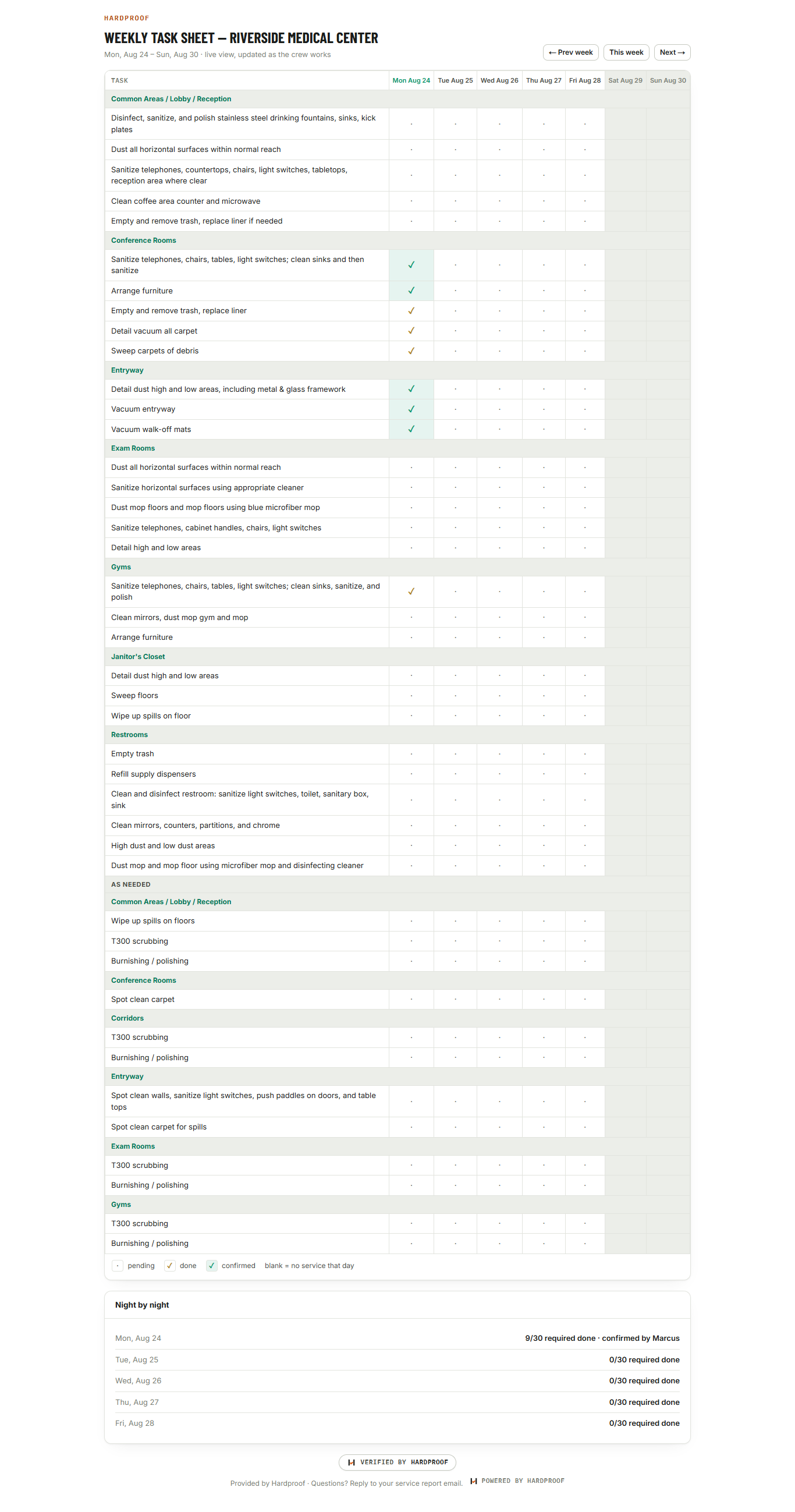
Three artifacts that end the “did they really?” conversation
Every tier ships the same proof layer, and every artifact carries the Verified by Hardproof seal — a named third party vouching for the data.
The live proof link
An unguessable read-only link you hand your client. They watch the week’s task sheet fill in as the team works — no login, no app, nothing to install.
Open the live example →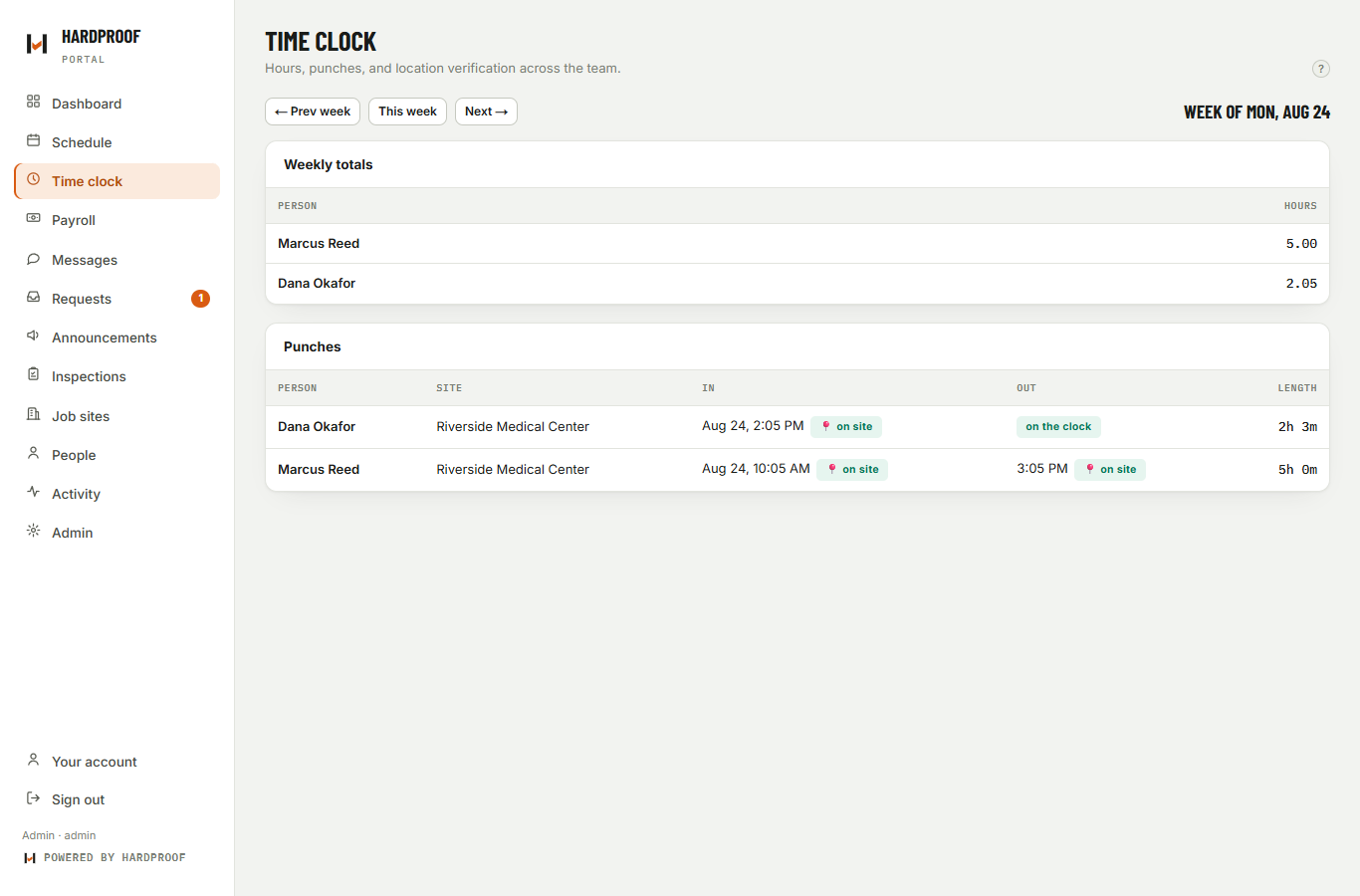
The verified report
A weekly email: who was there, when, verified by geofence at the punch, task completion counts, and the latest QC score. The artifact that makes renewals easy and disputes short.
 Verified by Hardproof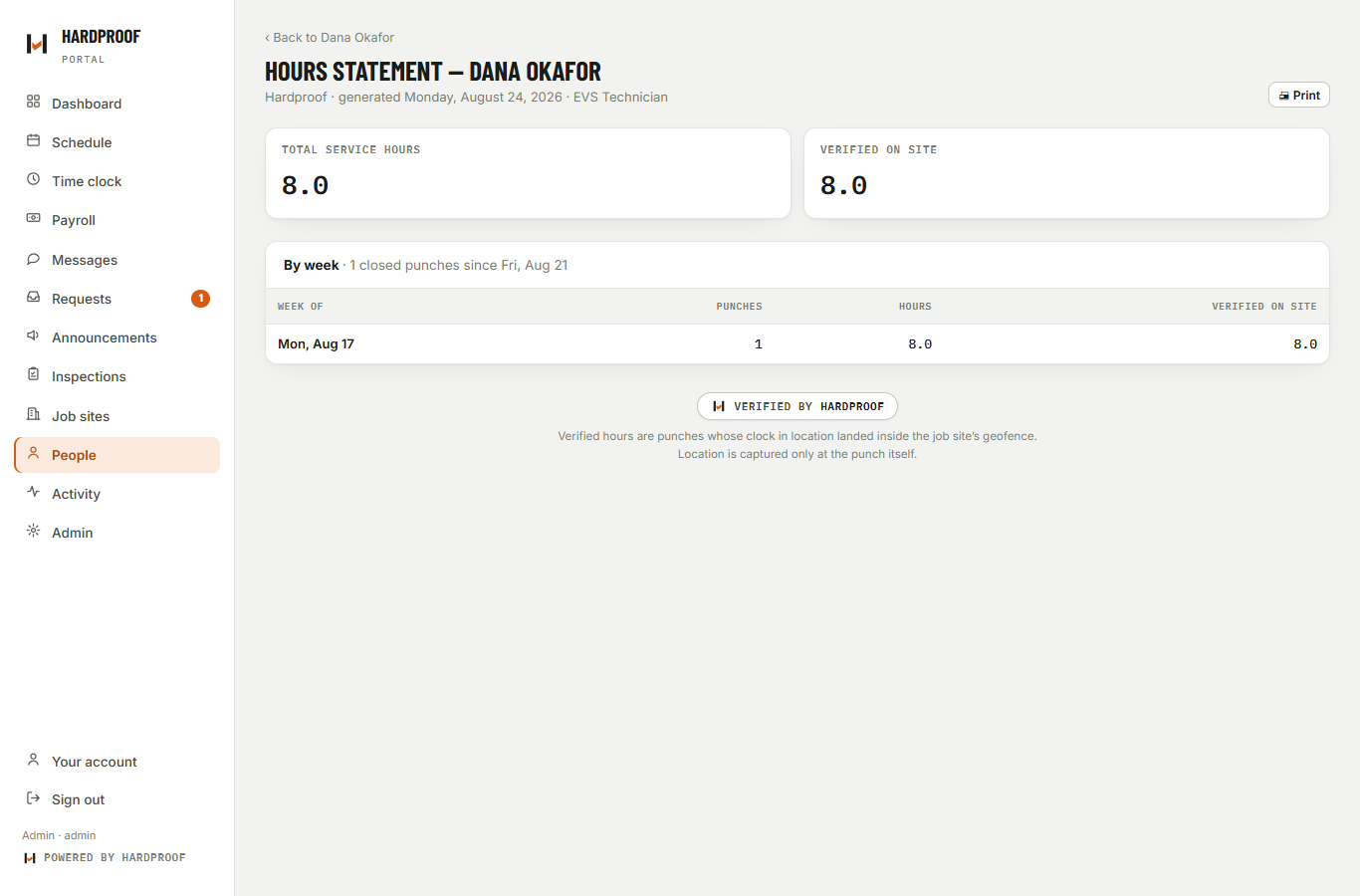
The hours statement
Cumulative hours per person, split into total and location-verified, printable and sealed. For schools: exactly what a licensing board wants to see behind every certified clock-hour.
Verified by HardproofProve it without changing how you work
Check in on site
One tap on their phone. Location is captured only at the punch — inside the site’s geofence it’s marked verified. Never tracking, never in between.
Work the sheet
The day’s checklist is on every phone. Tasks get checked off on site, and a supervisor confirms the sheet — while clocked in at the same site.
Proof goes out
The live link updates in real time, the sealed weekly report lands in your client’s inbox, and hours accrue toward targets. Automatically.
Run the whole operation from one place
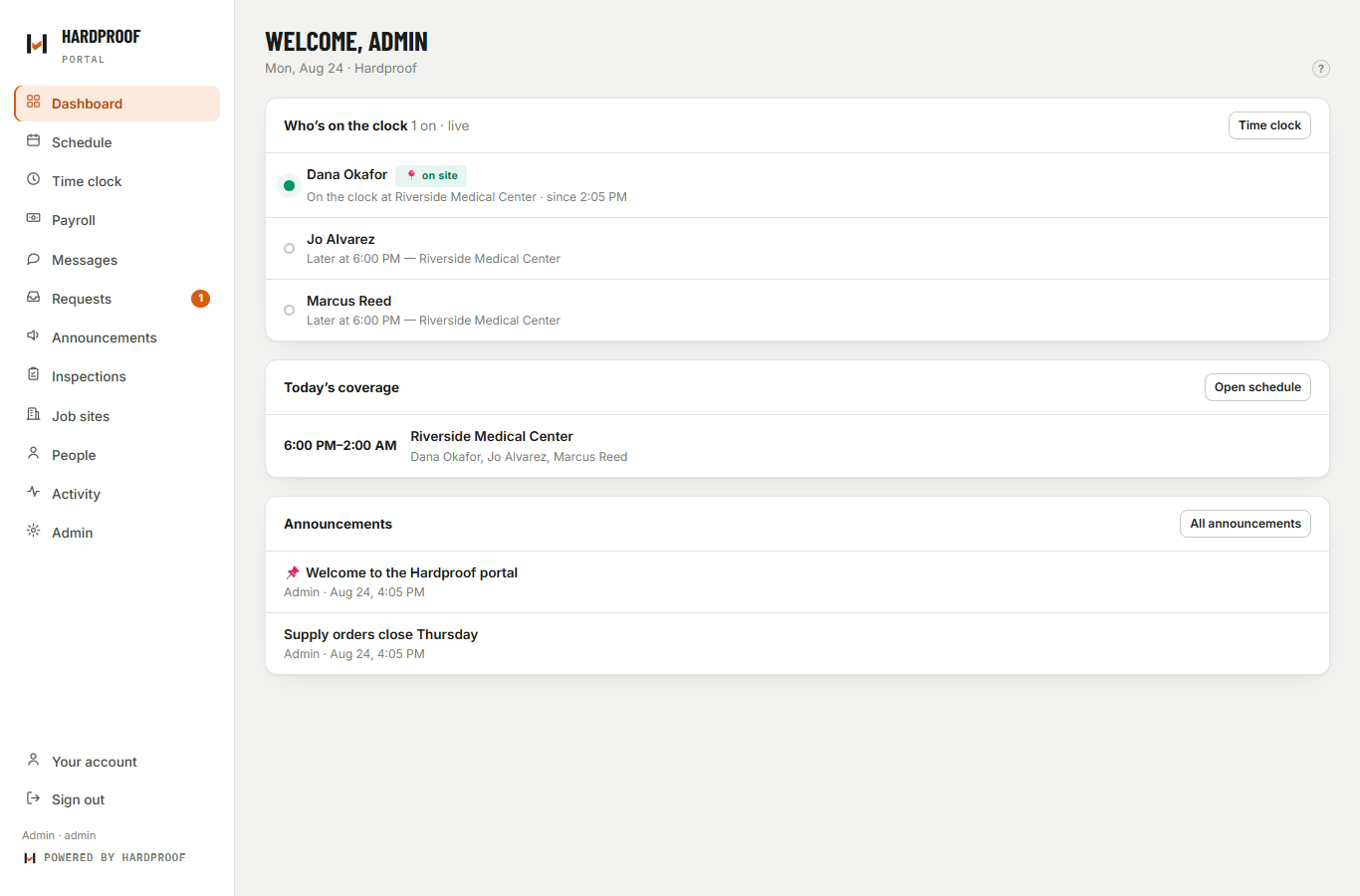
Live status board, schedules that build themselves from recurring patterns, a one-tap time clock, payroll roll-ups, QC inspections, messaging with SMS, and supply orders. Phones get a real installed app.
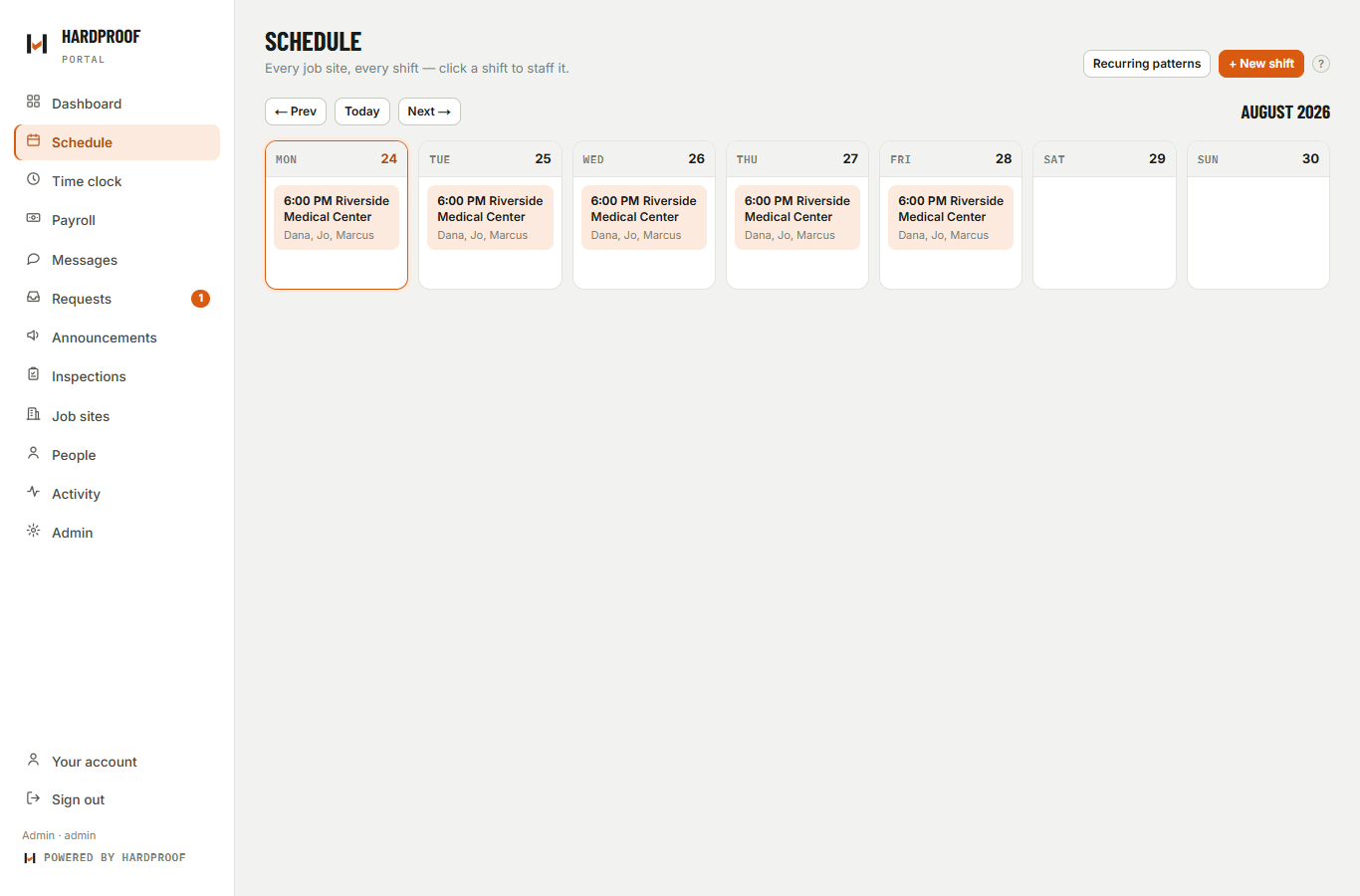
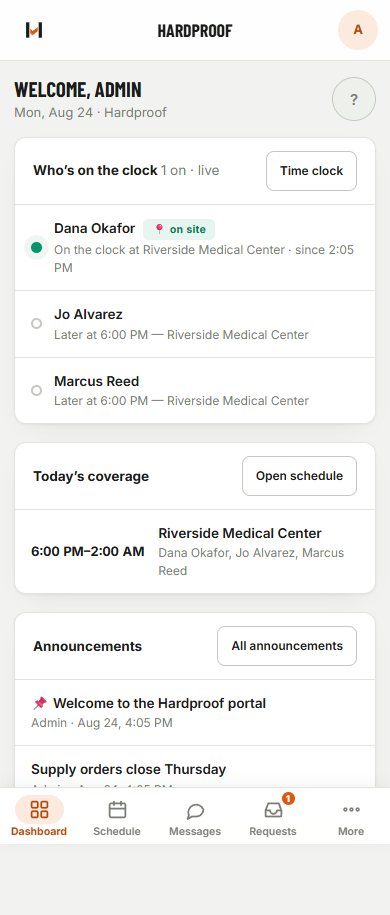
Only the sections you need — every one feeds the proof
An admin checkbox turns each section on or off, so a gas station never sees inspections it doesn’t run and a school never sees payroll it doesn’t use. Whatever you keep, everything flows into one verified record your customer can open.
Time clock
One-tap punches, location-verified inside each site’s geofence.
coreTask sheets
Daily checklists worked on site and countersigned by a supervisor.
coreInspections
Scored QC walkthroughs that feed the client report.
on / offProof links & reports
The live share link, the weekly report, the hours statement.
coreSchedule
Recurring patterns build the week four weeks ahead, by themselves.
coreRequests
Time off, swaps, and drops with one approval queue.
on / offSupplies
A tap-to-order sheet built from your own catalog.
on / offAnnouncements
The bulletin board everyone actually sees.
on / offPeople & roles
Admins, managers, supervisors, and the team — with site-level access.
coreMessages + SMS
One thread per person, in-app and by text.
on / offPayroll roll-ups
Approved weeks, overtime, and a bookkeeper-ready CSV.
on / off+ Your missing section
Grade tracker? Fuel log? Unit-turn board? It started as one school’s missing section — now it’s a toggle. On Managed and White-label, one Custom Section is scoped and built into your first year; further sections are fixed-priced in your proposal.
Any team that clocks in, in its own words
A terminology layer renames the whole product per deployment — nav, pages, alerts, emails, reports. A cleaning crew and a barber college run the same engine and never see each other’s vocabulary.
Gas stations & c-stores
Gyms & studios
Grocery & retail
Restaurants & QSR
Cleaning & EVS
Security & facilities
Schools & training
Salons & barbershops
Warehouses & logistics
Staffing agencies
Property management
Home care (private-pay)
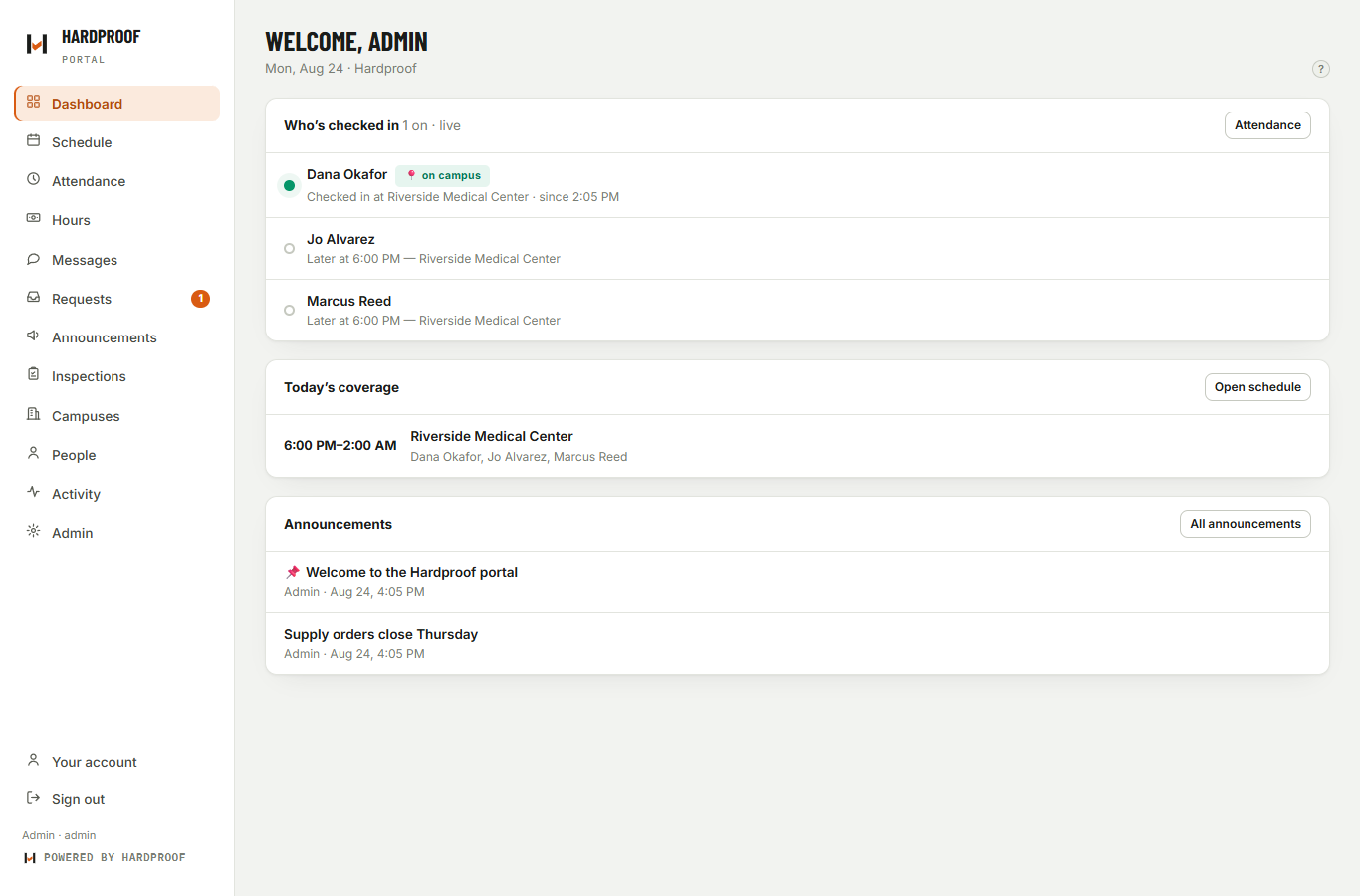
Pick a vocabulary pack, override any word, and the portal is theirs — same engine underneath, your industry’s words on every screen. Here’s the identical product wearing school terminology: attendance, campuses, sessions, students.
From self-serve to your name on the door
Hardproof
Your own private deployment — your data lives alone, never pooled with anyone else’s. Your name, logo, and colors inside the portal from day one.
- Private app + private database per customer
- Brand and terminology settings included
- You run admin; we run the platform
We run it for you
Everything in SaaS, plus we handle the admin seat: schedules, people, checklists, and the weekly client reports go out under your name — you just run the work. The service is the price — nothing added.
- We configure, maintain, and operate
- Reports generated and sent for you
- One Custom Section scoped and built into your first year; further sections fixed-priced in your proposal
Your name on it
Your logo, your colors, your domain — every “Powered by Hardproof” removed. To your team and your clients, it’s your software.
- Full brand takeover on your own domain
- One Custom Section built into your first year
- The Verified by Hardproof seal stays on proof — that’s what makes it credible
The whole price list is one question long: how many people punch in a typical week? See pricing — or email us and we’ll quote it in one reply.
Fair questions, straight answers
Is this tracking my people?
No. Location is captured at the moment of clock-in and clock-out — never in between, never in the background. A punch inside the site’s geofence is marked verified; that’s the entire use of GPS, and the portal says so to every worker on the clock screen.
We already have a website. How does this fit?
Your website keeps doing marketing — Hardproof runs operations behind it. We put your portal on a subdomain like portal.yourcompany.com (one DNS record; zero changes to your site), your team installs it from their phone browser, and your clients start getting proof.
We don’t have a website at all. Does that matter?
Not at all — we host your portal at an address we provide, branded as you. For a lot of our customers the sealed weekly report is the most professional thing their clients have ever received from them. That’s the point.
Whose data is it, and is it shared?
Yours, and no. Every customer gets a physically separate deployment — their own application and their own database. Nothing is pooled, and offboarding is clean: your deployment and its data, handed over or deleted.
If it’s white-labeled, why does the seal stay?
Because “verified by us, says us” isn’t verification. The seal is a named third party standing behind the GPS and attendance data — that’s what a facility manager or licensing board is trusting. It’s the one Hardproof mark that remains, and it works in your favor.
We run a gas station / gym / grocery store — is this really for us?
Yes — that’s the point of the sections and the vocabulary layer. You keep the clock, the schedule, and the daily sheets; switch off what you don’t run; and rename the rest into your words. If your operation has hourly people and somebody who needs to trust the work happened, it fits.
You don’t have a section we need.
Tell us what it is. Every deployment is its own private instance, so a section built for you shows up in your portal without waiting on anyone else’s roadmap — that’s what Custom Sections on the Managed and White-label plans are for. Several of our standard sections started exactly that way.
How is this different from the big scheduling apps?
They manage your team inward — schedules, chats, time sheets your managers look at. Hardproof points outward: everything your team does becomes a record someone outside can open. And we’re precise about the words: “verified” means the punch landed inside the site’s geofence; “sealed” means the report states exactly what was and wasn’t verified. No vague trust language.
Couldn’t someone just hand their phone to a coworker?
Location verification proves a phone was at the site at the punch — it doesn’t biometrically prove whose hand held it, and we won’t pretend otherwise. That’s why the proof chain has a second, human link: a supervisor confirms the work on site before it counts as done. Device at the site, plus a named person countersigning — that’s honest proof, and it’s more than a timesheet has ever offered.
See it running.
Right now.
The demo is a live deployment with a working crew, tonight’s task sheet, and a real proof page — the same software every customer gets.
quote@coldhardproof.com